3D Property Explorer for residential developers
Let buyers explore your development before it's built.
From the neighbourhood to the kitchen, buyers can find available homes in a real-time 3D model of your project, look around inside them, and step in at full scale with a VR headset. They can save their favourites and revisit them through a private link.
One digital twin, on every screen you sell from
Sales-lounge touchscreen
The hero screen in the gallery
Touch table
Explore the masterplan together
iPad for site visits
The same experience, on the move
Browser link
For NRI and remote buyers
VR headset
Stand inside the home
Expo booth
Take the gallery on the road
Explore a sample project
From the neighbourhood to the kitchen
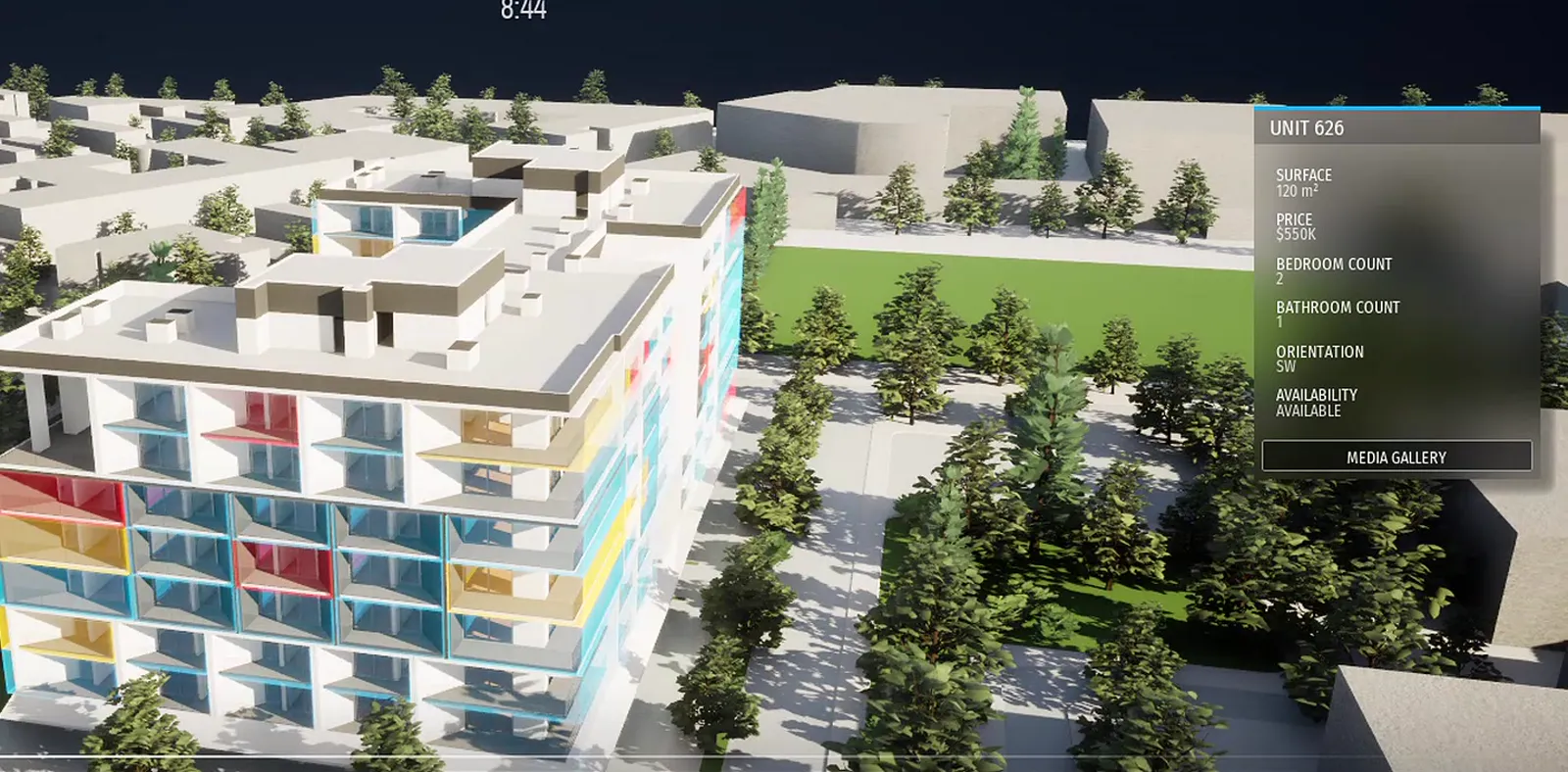
Follow one buyer through our demo project, in the real app: see the site at any hour, explore the neighbourhood, find Unit 626 and step inside.
Use the tabs, or your arrow keys, to move between views.
Step 1 of 7
See the whole project in its neighbourhood
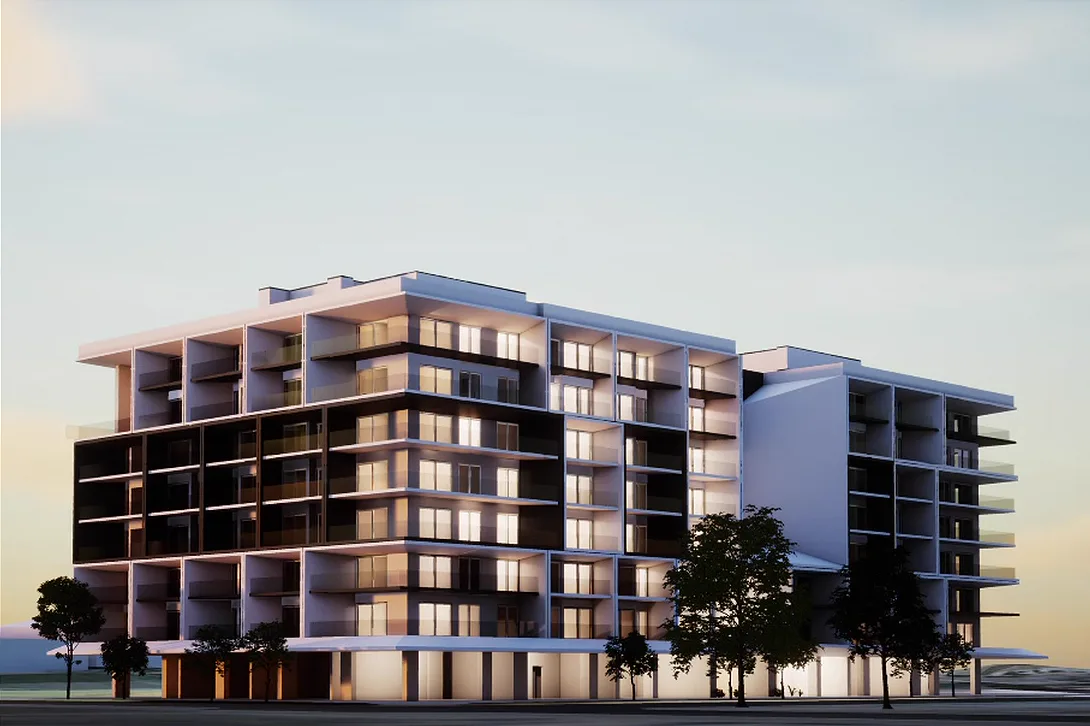
A real-time 3D model of the building on its actual site, with the streets, trees and buildings around it. Buyers orbit it, zoom in and drop to street level.
- Real-time 3D
- Orbit 360°
- Street-level view
Captured from our demo project in the Property Explorer app. Yours shows your project, your homes and your prices.
The buyer journey
Five steps from first look to a shortlist they keep
The same steps work in the sales lounge, on a site-visit iPad and in a browser at home. Whatever the buyer saves comes with them.
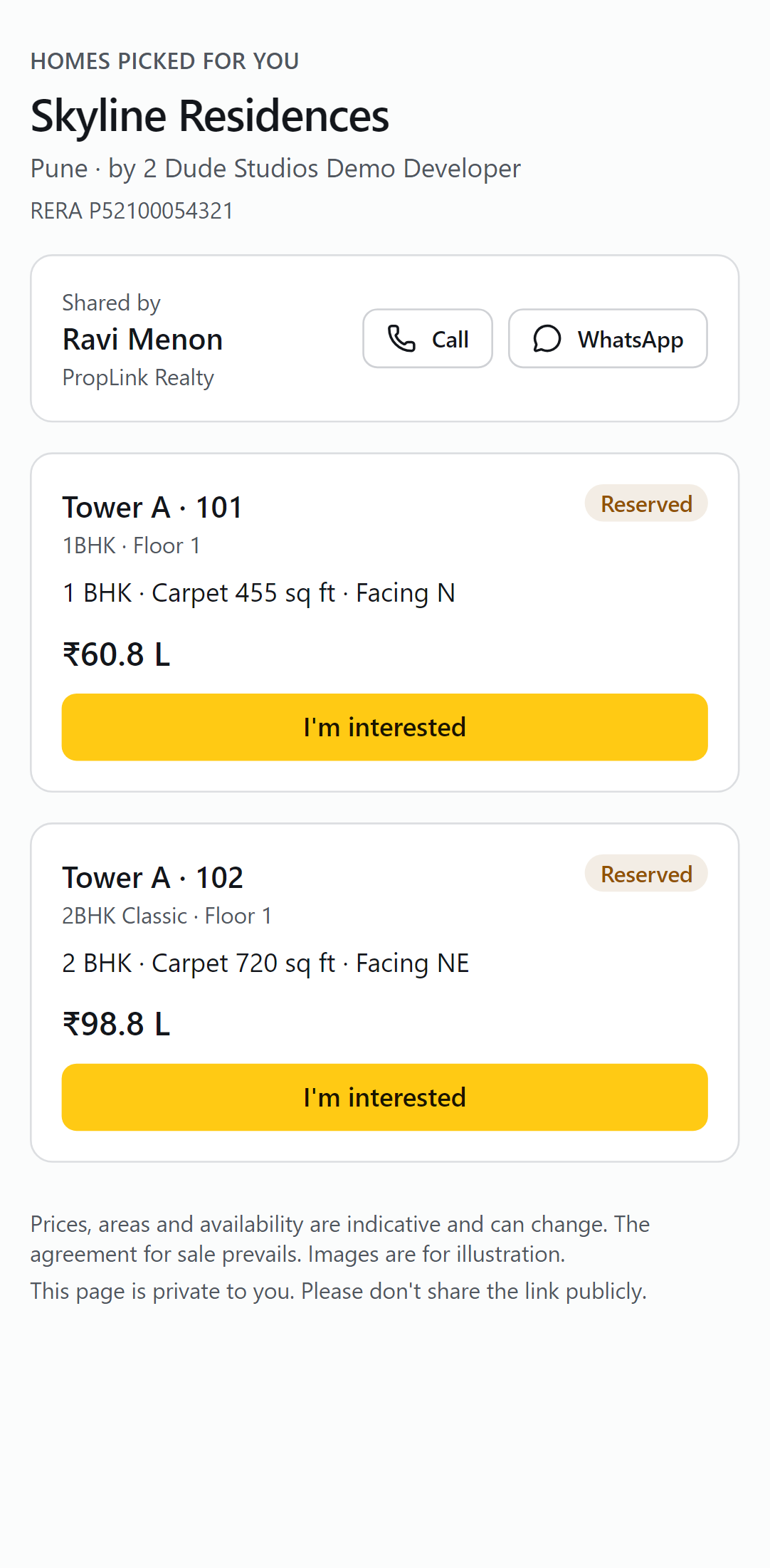
The private link a buyer takes home
- 01
Find
Start from the whole project or a budget, and see only what's available.
- 02
Choose
Compare homes by surface, budget, bedrooms and orientation.
- 03
Look inside
Look around every room in the 360° interior view.
- 04
Step in with VR
Put on a headset and stand in the living room before it exists.
- 05
Take it home
Favourites go to a private link by WhatsApp or email.
Step inside
Stand in the living room before it exists
Floor plans ask buyers to imagine. The 360° interior view lets them look around the home itself, on a touchscreen, an iPad or in a VR headset.
True scale
Room sizes and ceiling heights as they'll be, not squeezed onto a brochure page.
Light at any hour
The same time-of-day slider shows morning sun or evening light.
Plans and renders
Each home's media gallery holds its floor plan and finished room renders.
Guided by your team
An agent can walk the buyer through it, then save the home to their shortlist.
Your sales team
One home, from a buyer's interest to a hold
The buyer who explored Unit 626 doesn't disappear. Your team sees exactly what they explored, and acts on it.
- BuyerExplores Unit 626 on the lounge touchscreen and saves it to a shortlist.
- AgentCaptures them as a consented lead from a phone, right beside them.
- BuyerOpens the private link at home three times this week.
- AgentGets a hot-buyer alert and requests a hold on Unit 626.
- ManagerApproves the hold in the console. Every screen shows Unit 626 as reserved.
Holds to approve
console.spatialai.homesUnit 626
Demo project · 120 m² · 2 bed · 1 bath
- Requested by
- Ravi M. · PropLink Realty
- Buyer
- Consented lead · ••••4821
- Shortlist opened
- 3 times this week
- Hold for
- 48 hours
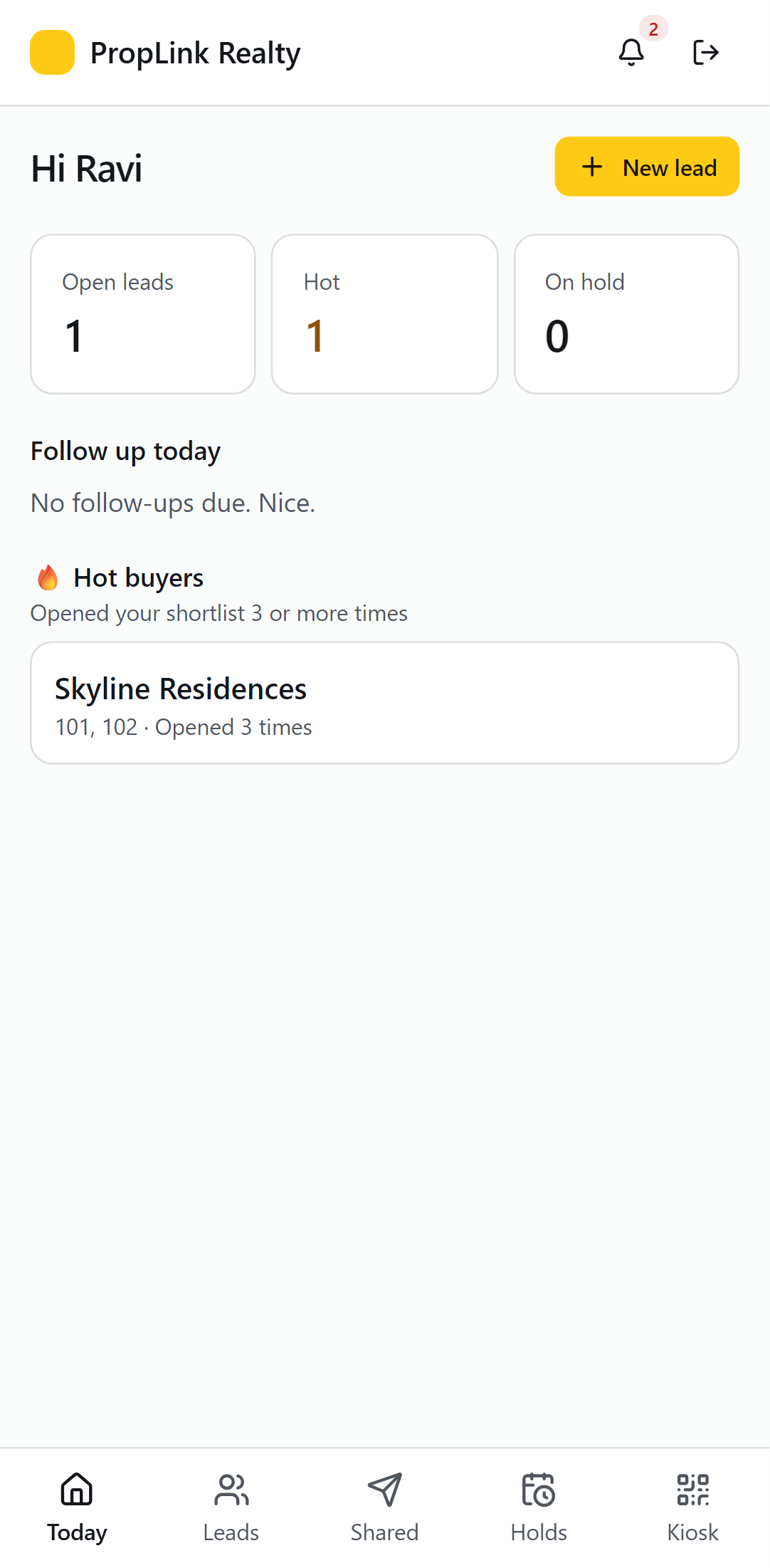
For developers
Inventory, prices, devices, leads and analytics for every project, with roles for admins, managers and agents.
Inventory and price lists
Import towers and units from Excel, preview every change, publish versioned price lists with a second approval.
Analytics that show intent
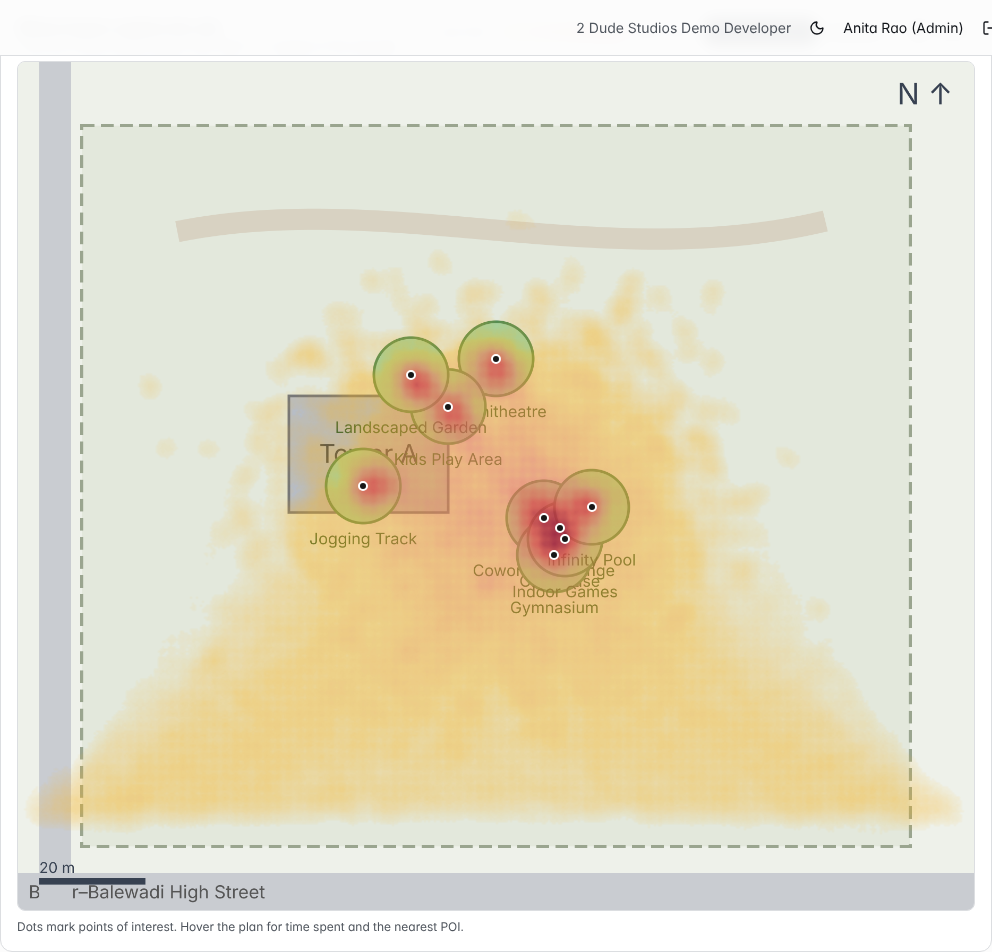
Funnels, demand gaps, unit interest and heatmaps of where buyers explore your site plan.
A device fleet you can trust
Every screen's health on a map, remote restart, and an email when one goes quiet.
Your CRM, kept in step
Leads and stage changes sync with LeadSquared, Sell.Do and Follow Up Boss.
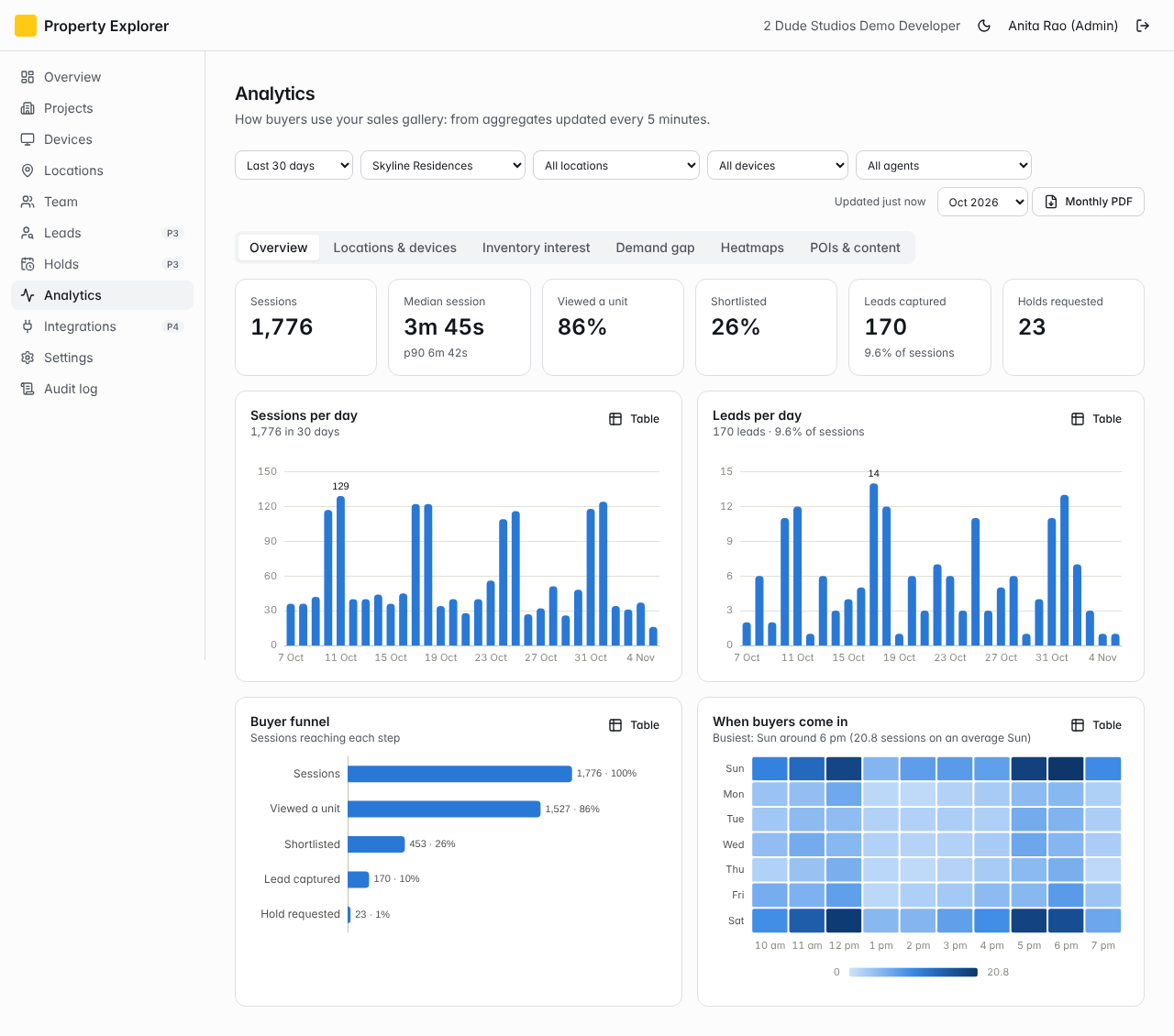
For channel partners
Invite the agencies and agents you trust. You set the terms; they get a sales tool on their phone.
Invite-only listings
You choose who sees each project, whether prices show, the hold rules and the commission.
Lead protection
A consented lead belongs to the partner who brought it, for 90 days by default.
One kiosk, several builders
Partners show every project they sell on one screen, each under its own terms.
Commission, accounted for
Rules per project, monthly statements and payouts tracked in one place.
Listing terms
Demo project
PropLink Realty
Agency · 6 agents · invited by you
- Prices on the kiosk
- Shown
- Holds
- Up to 48 hours, approved by you
- Lead protection
- 90 days from capture
- Commission
- 2% of agreement value + GST
Buyer ••••4821 is protected for PropLink Realty until 18 February. Another partner capturing the same buyer is told, without seeing any details.
Getting started
Send us what you already have
Most of the work is ours. You don't need 3D models to begin.
- 01
Share your files
Brochure, floor plans, site plan, renders and the price list. CAD drawings or 3D models help if you have them, but aren't required.
- 02
We build your explorer
We turn them into a signed project brief, then the interactive 3D experience in Unreal Engine 5. Units and prices arrive in your console with no re-typing.
- 03
Go live on every screen
Pair touchscreens, tables, iPads and headsets with a six-digit code, and share the browser link. Updates reach every screen at once.
AI you can check
AI that does the busywork, and shows its working
Two jobs that used to take days now take minutes: turning your brochures into project data, and turning a week of buyer activity into what your sales head should do next.
From brochure to project data
Upload brochures and price lists. AI reads the towers, unit types and areas, amenities, specifications and RERA numbers, and turns PDF price lists into a unit-by-unit schedule. Our studio reviews every extraction before anything reaches your console.
- Brochures and PDF price lists
- Reviewed by our studio
- Units straight into your console
- Towers
- 2 · G+14
- Unit types
- 2 BHK 1,180 sq ft · 3 BHK 1,640 sq ft
- Amenities
- Pool, clubhouse, gym, play area
- RERA
- P52100012345
- Possession
- December 2028
A sales analyst in your weekly report
Every week AI turns your analytics into up to five plain-English insights: demand you can't meet, homes nobody is looking at, leads waiting too long. Each one cites the figures it rests on, and anything it can't back up is dropped.
- In the console and PDF reports
- Grounded in your numbers
- AI insights module
- Opportunity
Buyers want 3 BHK at ₹1–1.5 Cr, and you have none
Based on: 18 searches in this band found nothing
- Risk
5 leads have waited over 48 hours
Based on: 5 of 27 new leads uncontacted after 48 hours
- Info
A-1204 is your most-wanted home
Based on: Interest score 88, still available
Only text and totals reach the model, with names, phone numbers, emails and ID numbers removed first. It runs on Google's Gemini in Mumbai, and Google doesn't train its models on it.
The signals behind the insights, on every session
Hot-buyer alerts
The agent hears the moment a buyer keeps coming back to their shortlist.
Unit interest
Views, time spent, shortlists and holds, scored for every home.
Demand gaps
Budgets and layouts buyers searched for that you don't have.
Fits the way you already sell
Leads and stage changes flow to your CRM; buyers hear from you on WhatsApp; site visits book themselves.
- LeadSquared
- Sell.Do
- Follow Up Boss
- WhatsApp Business
- Cal.com
- Signed webhooks
Privacy and security
Buyer trust, built in
Buyers share their details with you, not with the world. The platform is designed around India's DPDP Act and California's CCPA from the first screen.
Consent at capture
Every lead records the buyer's consent, as India's DPDP Act and California's CCPA expect.
Partners stay apart
Duplicate buyers are detected without one partner ever seeing another's contacts.
Encrypted, in Asia-Pacific
Data is encrypted in transit and at rest, on infrastructure in Mumbai and Singapore.
Access and erasure built in
Answer a buyer's request to see or erase their data from the console, within the legal deadline.
Do we need 3D models to start?
No. Brochures, floor plans, the site plan, renders and your price list are enough. If you have CAD drawings or 3D models, we'll use them.
Which screens does it run on?
Sales-lounge touchscreens, touch tables, iPads, VR headsets, expo booths and a browser link for remote buyers. We recommend specific hardware for each, and our demo runs on it.
Does availability stay in sync?
Yes. Holds, bookings and price changes made in the console reach every screen, so buyers never fall for a home that's gone.
Can our channel partners use it?
Yes. Invite them per project, with your price visibility, hold rules and commission. Their agents use a phone app and can sign in to your kiosks.
Where is buyer data kept?
On encrypted infrastructure in Asia-Pacific (Mumbai and Singapore), with consent, access and erasure handled in the console.
How is it priced?
Per seat each month, with optional modules such as heatmaps, CRM sync and AI insights. We'll quote for your projects after the demo.
How do you use AI, and is our data safe?
AI reads your brochures and price lists into project data, which our studio reviews, and writes weekly sales insights from your analytics totals. Personal details are removed before anything is sent, and it runs on Google's Gemini in Mumbai.
Request a demo
See your project in 3D
Tell us a little about what you're selling. We'll walk you through the explorer, the console and the agent app, with a project like yours.
- A live walkthrough on the recommended hardware
- How your sales team and partners would use it
- What we'd need from you, and a quote
Prefer email? support@spatialai.homes